News & insights
How to Refresh Old Website Content Without Starting From Scratch

How to Refresh Old Website Content Without Starting From Scratch
Refresh old website content is the job most service businesses put off for too long. The page is not broken enough to delete, but it is not sharp enough to help either. That does not mean you need a whole new site. In many cases, the smarter move is to keep the page structure and update the parts that have gone stale.
That matters because old content usually fails in small ways first. The offer shifts. The examples age out. The wording gets vague. The page slowly loses the trust it once had. A good refresh fixes that without wasting the useful work already on the page.
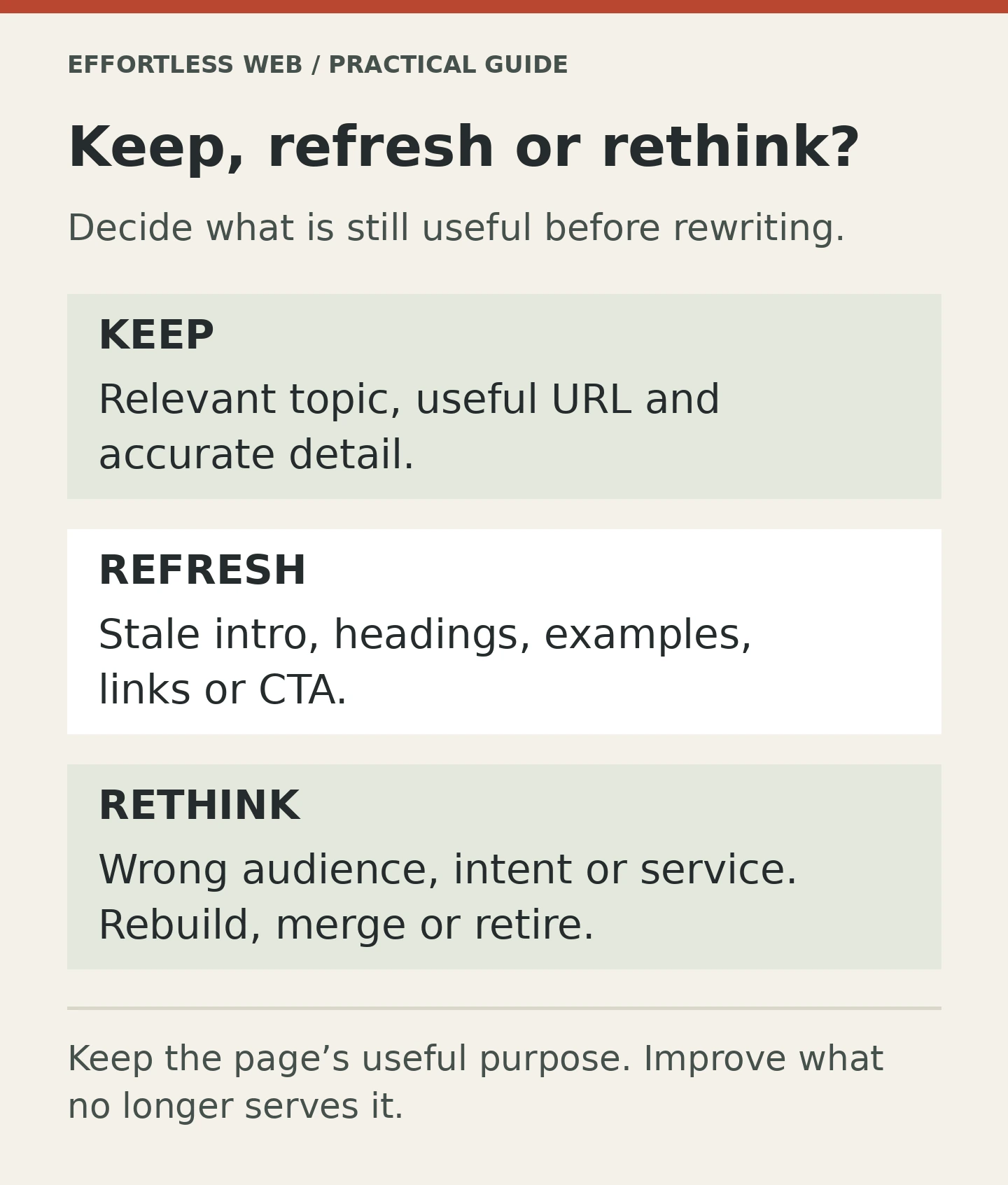
The trick is knowing what to keep, what to cut and what to rebuild. Once you have that, refreshing becomes a practical job instead of a dreaded rewrite.
Why refreshing old website content is often the right move
If a page already ranks, earns impressions, or gets shared, it has some value. Starting again from zero can throw that away. A refresh lets you keep the good parts while improving the weak ones.
That is especially true for service businesses. A service page might already have the right topic, the right URL and some useful internal links. It may only need clearer positioning, a better intro, stronger proof and a more obvious call to action.
Google’s Creating helpful, reliable, people-first content guidance is a useful reminder here. The page has to help a real person. If it does that better after a refresh, the page is doing its job.
A refresh is also easier to control. You are editing with a purpose instead of trying to invent a brand new page from scratch and hoping it somehow lands better.
Start with the pages that already have a reason to exist
Not every old page deserves a rescue. Some pages are thin, off-topic or so outdated that they only survive out of habit. Those can be merged or retired. But if a page still matches a real service, a real audience or a real search intent, it is usually worth improving.
Look for pages that already do at least one of these things:
- bring in search impressions
- rank for a useful query
- earn internal links from other parts of the site
- support a service page or sales conversation
- answer a question customers still ask
Those are the pages worth spending time on. A content refresh should make a page easier to trust, easier to scan and easier to act on.
For Effortless Web, that usually means the page should still connect to SEO & Content Marketing, Content Writing or On-Page & Technical SEO. If the content no longer supports any of those, the problem may be bigger than a refresh.
How to refresh old website content without starting from scratch
Most old content does not need a full rewrite. It needs better decisions.
Start with the basics:
- Update the angle. Make sure the page still answers the question the reader actually has.
- Rewrite the intro. Say the point faster. Do not make the reader wait.
- Fix the headings. They should guide the reader, not repeat the same idea in different words.
- Replace stale proof. Old examples, old stats and old screenshots make the whole page feel older than it is.
- Check the CTA. If the page is trying to generate enquiries, make that next step obvious.
That is usually enough to make a page feel alive again. The goal is not to add more words. The goal is to make the words work harder.
Google’s Influencing title links in Google Search and How to Write Meta Descriptions docs are also useful here. If the title and snippet still describe an older version of the page, the refresh should fix that too.
What to cut without hesitation
Old content often carries a lot of dead weight. That is normal. Most pages pick up filler over time.
Cut the parts that no longer help:
- generic opening lines
- old calls to action that point nowhere useful
- outdated service names or packaging language
- repeat explanations that say the same thing twice
- weak internal links that no longer fit the site structure
If a paragraph exists only to fill space, let it go. If a section only repeats what the heading already says, trim it. If a link points to a page that is no longer the right destination, update it.
This is where refresh work starts to pay off. Cleaner copy is easier to read. A tighter page is easier to trust. And trust usually does more for enquiries than another 200 words ever will.
When a refresh is not enough
Sometimes the problem is bigger than the wording.
If the page targets the wrong intent, the wrong service or the wrong audience, a refresh can only do so much. If the URL is weak, the topic is off, or the page needs a completely different structure, a rewrite may be the better call.
Here is a simple test: if you removed the current copy and kept only the URL, heading and topic, would the page still make sense? If the answer is yes, refresh it. If the answer is no, rebuild it.
That is not failure. That is just choosing the right fix.
Google’s SEO Starter Guide is helpful here because it keeps the focus on pages that are clear, useful and easy to understand. If the page can be improved without changing its core purpose, keep the purpose and improve the execution.
A simple refresh workflow
If you want a repeatable way to handle old content, use this sequence:
- Open the page and note the main job it is supposed to do.
- Check search intent, impressions and any obvious signs that the page still has value.
- Cut stale sections, weak examples and vague filler.
- Rewrite the intro, headings and CTA so they match the current offer.
- Add new proof, examples or FAQs where the page is thin.
- Update internal links so the page fits the current site structure.
- Review the title, slug and meta description one last time.
That workflow is not glamorous, but it works. It keeps you from over-editing pages that only needed a few strong improvements.
It also helps you move faster. A good refresh pass should feel like making the page sharper, not like re-building the whole house because one room got dusty.
How to know you did enough
A refreshed page should feel clearer the moment you read it. The promise should be obvious. The proof should feel current. The CTA should make sense. The page should sound like it was written by someone who still understands the business.
If it reads better, the next step is usually simple: publish the update, watch what happens and keep an eye on whether the page is now earning better engagement or stronger clicks.
Sometimes the improvement is immediate. Sometimes it is gradual. Either way, the page has a better chance of doing the job it was meant to do.
Need help refreshing old website content?
If you want old pages to work harder without rebuilding everything from scratch, talk to Effortless Web about SEO & Content Marketing, Content Writing or get in touch.