News & insights
Website Maintenance Mistakes That Quietly Damage Leads and Rankings

Website Maintenance Mistakes That Quietly Damage Leads and Rankings
Website maintenance mistakes are easy to ignore because a site can still look fine while it slowly gets worse at bringing in leads and supporting rankings.
That is the annoying part. The damage is usually quiet. A broken redirect here. A plugin update that never got tested there. A contact form that still opens, but no longer sends the email. A page that loads just slowly enough to annoy mobile visitors. None of that looks dramatic on its own. Put it together and the site starts acting tired.
And tired websites do not help much. They leak trust, create friction, and make the business feel less current than it really is.
If you want the wider context on why these small problems matter, How to Build a Website That Still Performs in AI-Driven Search looks at what happens when search becomes more filtered and less forgiving. Maintenance is part of that story too.
Website maintenance mistakes that quietly damage leads and rankings
The phrase sounds boring, which is probably why it gets neglected. But if a website is meant to support a business, maintenance is not optional housekeeping. It is part of the job.
Google’s own documentation still points to page experience, Core Web Vitals, and redirects as part of how it understands a site and its changes. WordPress also keeps telling site owners to update the core, plugins, and themes for a reason. The web moves. Sites that do not move with it eventually start falling apart in small, expensive ways.
That is where a service like Website Maintenance & Support earns its keep. It is not glamorous. It just stops little failures from turning into bigger ones.
1. Broken links and sloppy redirects after changes
One of the fastest ways to make a site feel neglected is to leave old URLs hanging around.
Maybe a page was renamed. Maybe a service changed. Maybe a blog post was merged into something better. If the redirect was not set up properly, people end up at 404 pages or weird half-working paths. Search engines hate that. Users hate it more, even if they do not say so out loud.
Google’s redirects guidance exists because site changes are normal. URLs change. Pages move. The mistake is assuming nobody will notice or that search will sort it out automatically. It usually does not.
If your site has had a few rounds of updates, this is worth checking first:
- old service URLs
- deleted blog posts
- menu links that point to nowhere
- PDFs or downloadable assets that still live in old folders
- internal links copied from old page versions
Once those start stacking up, the site feels messy. That is not just a technical issue. It is a trust issue.
2. Slow pages and unstable layouts
Google’s Core Web Vitals documentation keeps the focus on three things: loading performance, interactivity, and visual stability. That is a polite way of saying people hate slow, jumpy pages.
Business owners sometimes think performance only matters if the site is painfully slow. Not really. A page can be merely a bit annoying and still lose people. If the layout jumps while it loads, if the mobile version feels clumsy, or if interactions lag just enough to break the flow, the user is already halfway out the door.
That matters for rankings and leads. It matters for the search visitor who clicked through from Google. It matters for the person who arrived from Maps. It even matters for referrals, because nobody cares how the traffic arrived if the page feels dated and irritating.
If you are unsure whether the site is performing properly, Website Optimization & Analytics is the natural next stop after maintenance. One service keeps the site healthy. The other tells you what is actually happening on it.
3. Updates that get installed but never tested
This is a classic one. The update goes through. Nothing obvious breaks. Everyone moves on.
Then, three weeks later, the booking form stops sending emails, the mobile menu behaves oddly, or a script that powers analytics and conversion tracking quietly dies in the background.
WordPress’s updating guidance is pretty clear: keep the site updated. But updates are only half the job. Testing is the other half. If the update changed something important and nobody checked the key pages afterwards, the site may have survived technically while still becoming less useful commercially.
The pages that deserve a post-update check are the ones that make money or answer money questions:
- home page
- service pages
- contact page
- quote or booking forms
- any page with tracking, embeds, or special scripts
If those break, or even just get a little worse, the site starts costing more than it should.
4. Forms, scripts, and tracking that quietly stop working
Some of the worst maintenance failures are the ones nobody sees until lead quality drops and no one can explain why.
A form still looks normal but no longer sends to the right inbox. A chatbot plugin is still visible but not actually capturing anything useful. Analytics tracking misses events after a theme update. A call-to-action button still works, but the conversion data behind it is now incomplete.
That is a problem because marketing teams and business owners end up making decisions on bad information. If you cannot trust the numbers, you start guessing. Guessing is expensive.
This is also where small businesses get trapped by false reassurance. The site “looks fine,” so it must be fine. Not always. Sometimes the front end is fine and the measurement layer is broken. Sometimes the form is fine and the follow-up email is not. Sometimes the site is technically live but commercially limp.
5. Security gaps and stale backups
Security does not usually show up as a neat little warning sign. It shows up when something has already gone wrong.
That is why updates, backups, and monitoring matter even when the site seems stable. Old plugins, abandoned themes, and weak backup habits turn a minor issue into a serious one faster than people expect.
A compromised site is not just a technical headache. It is a trust problem, a lead problem, and often a recovery cost that could have been avoided with boring discipline.
The plain truth is that a lot of businesses do not need a dramatic security strategy. They need a routine.
- update the site regularly
- test the important pages afterwards
- keep backups current
- remove plugins and themes that are no longer used
- check that forms and scripts still behave properly after changes
6. Old content that no longer matches the business
Maintenance is not only about code and plugins. It is also about whether the site still tells the truth.
Outdated service descriptions, stale team bios, old photos, broken trust signals, and outdated claims all create the same effect: the site feels less current than the business behind it. People notice that even if they do not consciously think about it.
This is where maintenance overlaps with Web Design & Development and search. If the structure is weak, the content gets stale faster. If the content is stale, rankings and conversions both tend to drift.
That drift is one reason sites can lose performance even when nobody has touched the design in months. The site is not one thing. It is a system. If one part goes out of date, the rest starts feeling it.
What to fix first
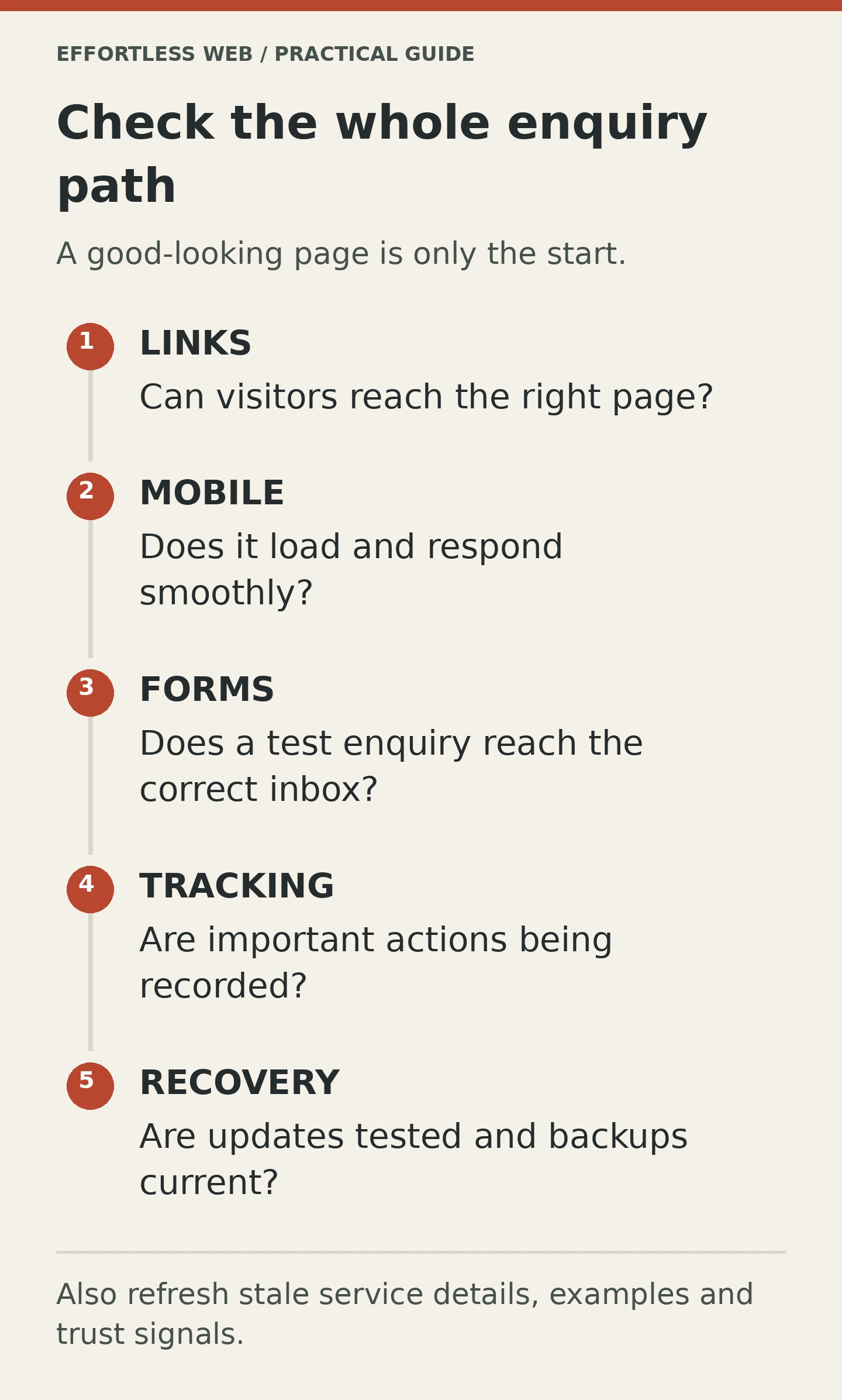
If you are looking at a site that feels off but you do not know where to begin, I would use this order:
- Check redirects and broken links. They are easy to miss and easy to fix.
- Test the pages that make or support enquiries. Home, service, contact, and forms come first.
- Review speed and stability on mobile. A site that feels sluggish will leak interest quickly.
- Make sure updates are followed by actual testing. Installing updates is not the same as maintaining the site.
- Verify forms, scripts, and analytics. If the tracking is wrong, the decisions that follow will be wrong too.
- Refresh stale content and trust signals. Old wording and outdated proof make the business look less active than it is.
That list is not fancy. It is just the stuff that prevents avoidable damage.
Maintenance is cheaper than recovery
This is the part people usually admit after the fact.
It is cheaper to keep a site maintained than to rebuild trust after it has gone stale. It is cheaper to check the forms than to discover a month of lost enquiries. It is cheaper to manage redirects properly than to let old links rot across the site.
That does not mean every site needs a big rebuild. It means the maintenance layer should not be treated like background noise.
If the site is already in decent shape and just needs discipline, a maintenance plan is probably the answer. If the structure is the real problem, that is when design and rebuild work start to matter more.
Either way, the site should be doing more than looking alive. It should actually be alive.
Need help keeping the site healthy and the leads flowing?
If your site needs a proper maintenance check, talk to Effortless Web about Website Maintenance & Support. If you are not sure whether the problem is maintenance, performance, or structure, get in touch and we can help sort it out.